
-
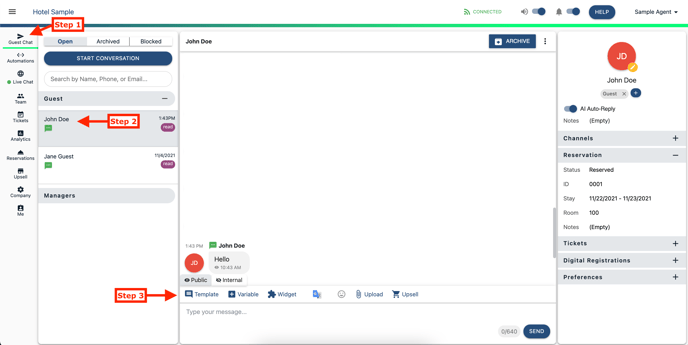
While in the Guest Chat tab
-
Search for guest or select guest name in 'Open' folder
- While in an open message, select the Template icon

- Select Template Type to add into message
- Company Templates (Admin Created)
- User Templates (Personally Created)
- Survey Templates (Feature)
- Digital Registration (Enterprise Only Feature)
- Automated Messages (Admin Created)
The template will not immediately send, it will paste into the message box to be reviewed.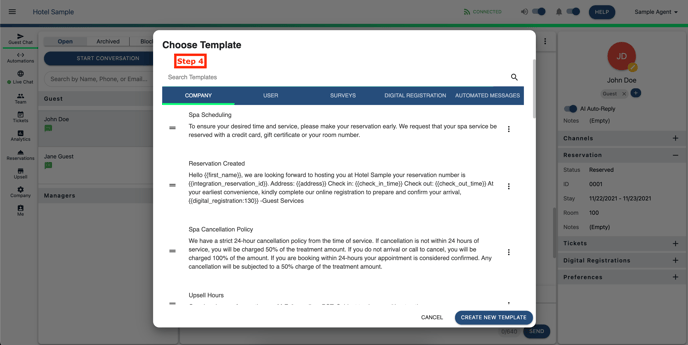
Comments
0 comments
Please sign in to leave a comment.